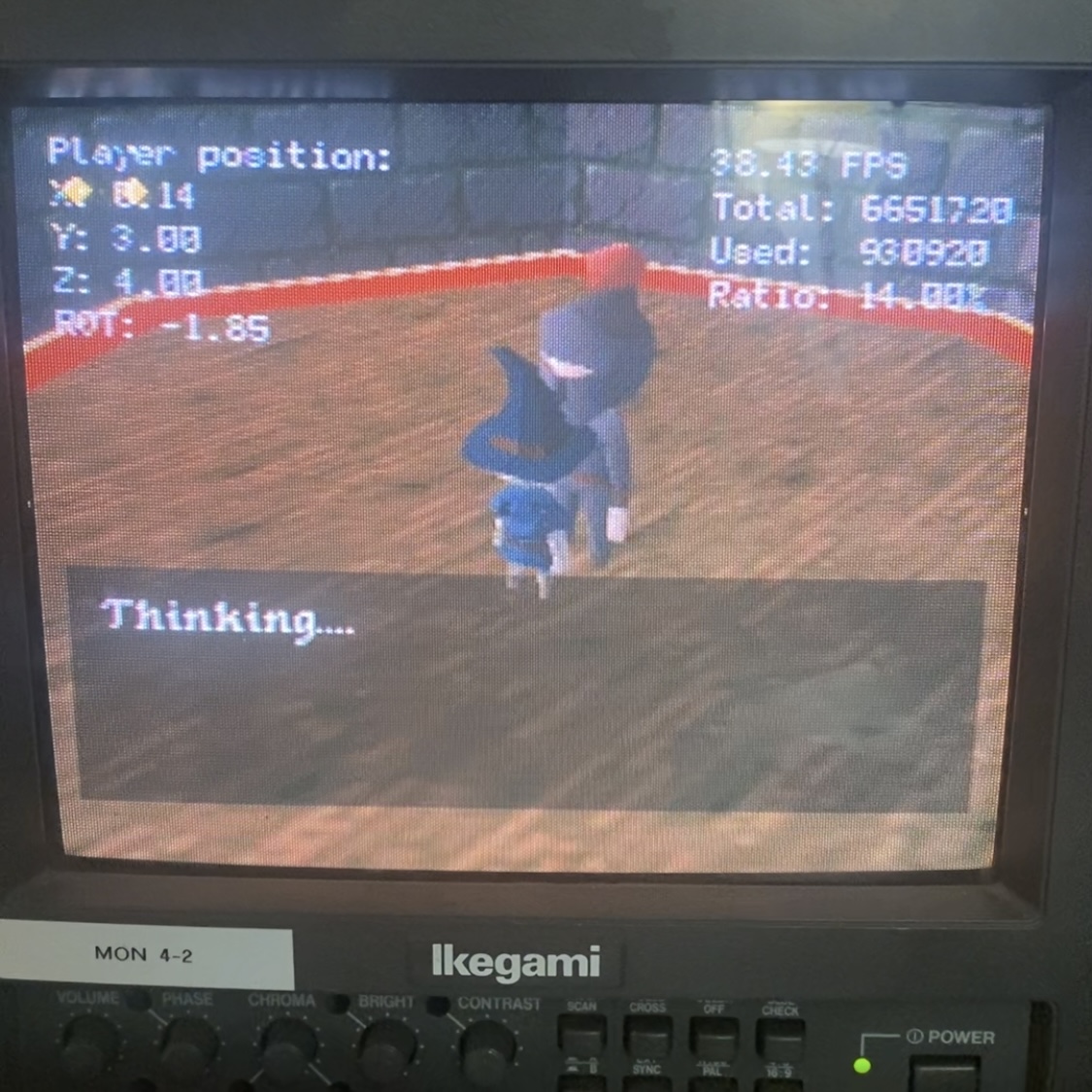
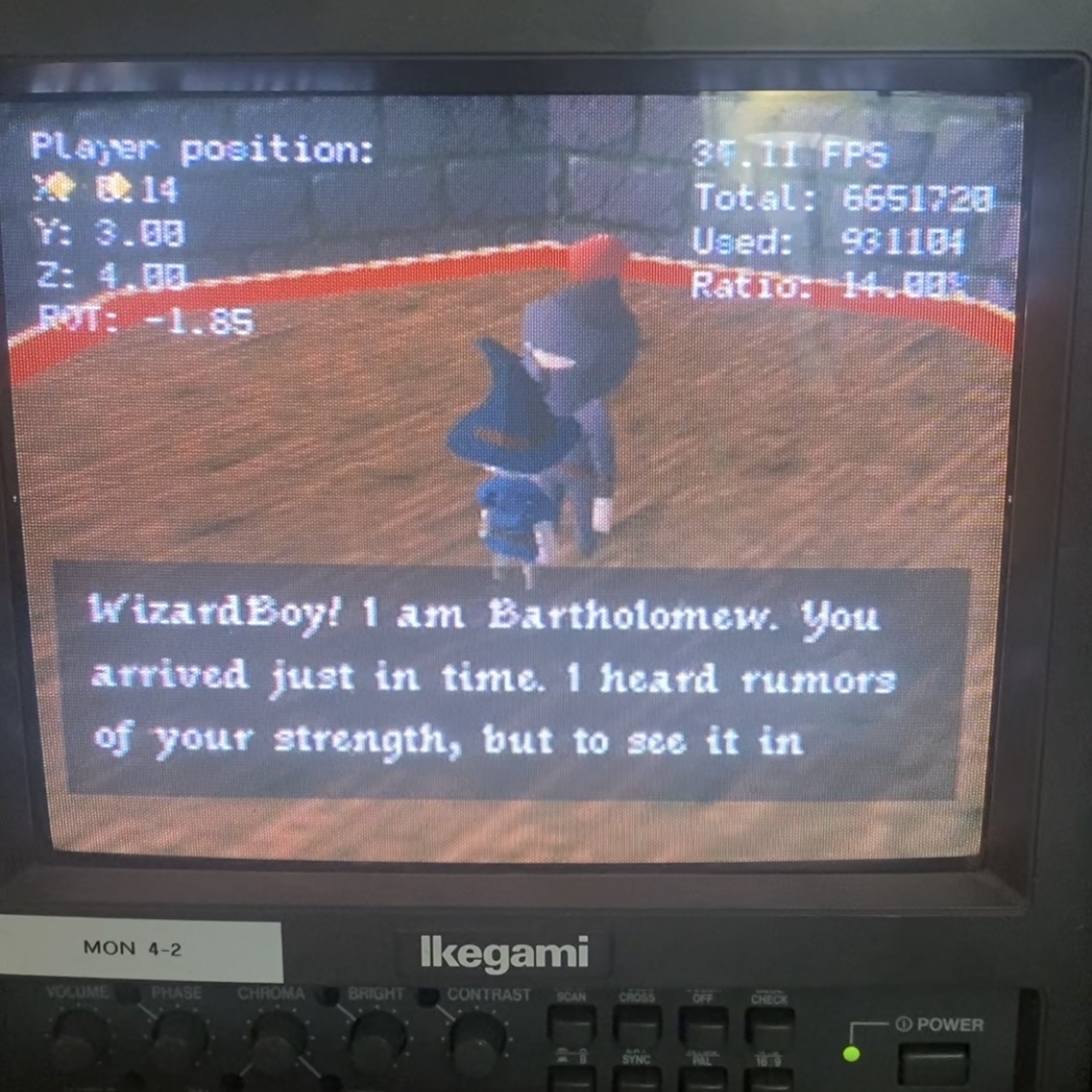
there are four main components involved in this system:
- the gameplay on the screen
- the n64 rom running on the flashcart
- the python script running on the computer
- the LLM that generates the dialog
this diagram shows the flow of data between these components, starting with the player interacting with the NPC and ending with the dialog being displayed on the screen.
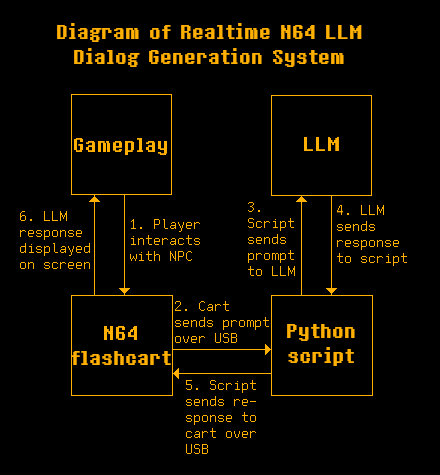
when the n64 is powered on and the rom starts running, the first thing that happens is it sends a prompt out over usb to the computer. the prompt is a string starting with "[LLM_START]" and ending with "[LLM_END]". this initial prompt explains to the LLM that it will be generating dialog for NPCs in a video game. it will be given information about the NPC (such as name and relationship with the player) as well as information about the location and situation.
when the player interacts with an NPC, the rom sends out another prompt over usb with the same beginning and ending strings. this time the prompt describes the NPC and the situation. a dialog box will then appear. "Thinking..." will be displayed in it until the rom receives a response from the python script.
from the point of view of the python script, it is looping waiting for a prompt to come from the rom. when it receives the prompt, it will send it to the LLM and wait for a response. when the response from the LLM is received, it will be sent back to the rom over usb.
one challenge i ran into was formatting the packet to write back to the flashcart. i am using a summercart64, so i consulted the documentation for formatting PC->SC64 packets. i couldn't just send the LLM's response alone. i had to format the packet to announce to the summercart that it was a command, tell it the type of command, what type of data it would be receiving (represented in 4 bytes), the length of the data (also represented in 4 bytes), and then finally the data itself. here is how i constructed the packet in the python script:
            output = 'CMD'.encode('utf-8') \
                   + 'U'.encode('utf-8') \
                   + b'\x00\x00\x00\x01' \
                   + len(response).to_bytes(4, byteorder='big') \
                   + response.encode('utf-8')
and finally, some notes on the LLM. in my tests i used a model called qwen3.5:35b-a3b, using ollama to run it locally on a RTX 5090. i ran it on a different computer than the one running the python script, but both were on my home network so i pointed the script to the network ip address of the computer running the LLM. the script could be adapted to use a cloud model as well if running locally is not possible.